 Zheng
Zheng
Retail terminals look simple from the customer side: scan, select, pay and print. Behind that interface, however, the computer must coordinate a touchscreen, scanner, payment device, printer, camera, cash drawer and store network—often for long hours every day. That is why choosing the right touchscreen panel PC is central to the reliability of a cash register, self-checkout machine or self-service kiosk.
ZhengFeng supplies industrial touchscreen computers to manufacturers of POS systems, self-checkout machines and self-service terminals. Several companies in this sector are among our customers. For suitable projects, we can also manufacture the complete terminal, including the enclosure, touchscreen computer and selected peripheral integration—not only the internal panel PC.
Where Touchscreen Computers Are Used
1. Staff-Operated Cash Registers
A conventional POS terminal is operated by a cashier and normally connects to a barcode scanner, receipt printer, cash drawer, customer display and payment terminal. Speed, software compatibility and easy peripheral connection matter more than extreme computing power.
Recommended baseline configuration
- 15 or 15.6-inch projected-capacitive touchscreen
- Intel N100/N97 or equivalent low-power processor
- 8 GB RAM and 128–256 GB SSD
- Windows 11 IoT/Pro or Android, selected according to the POS software
- At least 4 × USB, 2 × COM, 1 × LAN and optional cash-drawer interface
- Dual-band Wi-Fi and Bluetooth where required
- Fanless cooling for quieter operation and less dust intake
- Optional second customer-facing display
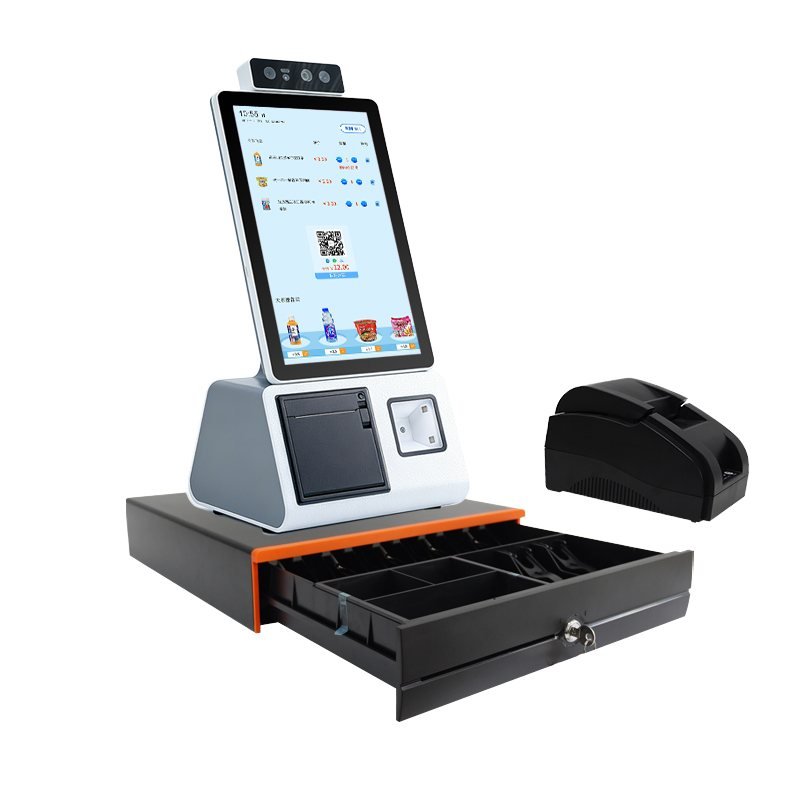
2. Countertop Self-Checkout
Compact self-checkout is well suited to convenience stores, bakeries, cafés, pharmacies and unattended micro-markets. A portrait display saves counter space and supports QR payment, product selection and promotional content. Typical modules include a 2D scanner, receipt printer, NFC reader, camera and cash drawer.
Recommended baseline configuration
- 15.6–21.5-inch portrait capacitive touchscreen
- Intel N100/N97 for standard checkout; Core i3/i5 for vision-assisted recognition
- 8 GB RAM and 256 GB SSD
- Windows or Android 13/14, depending on the application and SDK
- 80 mm thermal printer, 2D barcode/QR scanner and optional NFC/EMV device
- Gigabit Ethernet plus Wi-Fi; optional 4G/5G backup
- Watchdog, auto power-on and scheduled restart support
- Optional 2 MP–5 MP camera for account login, remote assistance or loss prevention
3. Floor-Standing Self-Checkout Kiosks
Floor-standing terminals serve supermarkets, shopping centres, cinemas, transport hubs and public-service locations. Their larger enclosure can integrate cash handling, card payment, document scanning, ticketing and additional security modules. The thermal design, cable routing and service access must be planned as one system.
Recommended baseline configuration
- 21.5–27-inch Full HD touchscreen, 400-nit brightness or higher where needed
- Intel N100/N305 for standard workflows; Core i5 for computer vision, multiple cameras or heavier local applications
- 8–16 GB RAM and 256–512 GB industrial SSD
- 6 or more USB ports, 2–4 COM ports, dual LAN and optional GPIO
- 2D scanner, NFC/EMV payment module, 80 mm printer and optional cash recycler
- Lockable metal enclosure, service door and segregated power/data wiring
- UPS or controlled shutdown where transaction integrity is critical

4. Payment and Cash-Service Terminals
Terminals that accept or dispense cash require more I/O, stricter internal layout and careful compatibility testing. The computer may need to communicate with a bill acceptor, coin module, cash recycler, payment PIN pad, scanner and printer at the same time.
Recommended baseline configuration
- 21.5-inch portrait touchscreen
- Intel Core i3/i5 or equivalent
- 16 GB RAM and 256–512 GB SSD
- Multiple isolated COM and USB ports
- TPM 2.0, secure boot and optional hardware encryption
- Dual LAN or LAN plus cellular failover
- Defined integration protocol for every cash and payment module

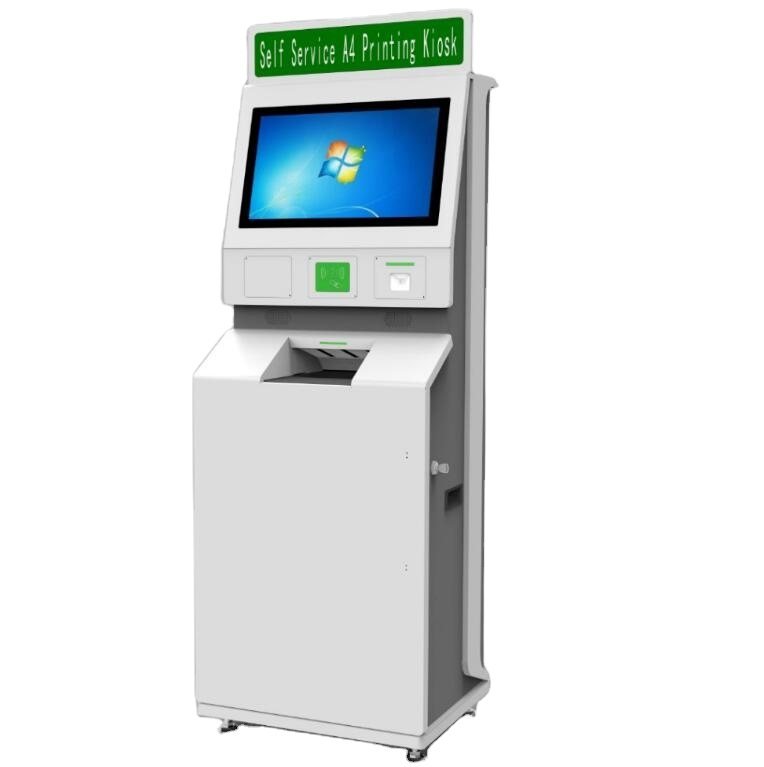
5. Printing, Ticketing and Public-Service Kiosks
Document printing, ticket collection, registration and queue-management kiosks usually need a large touch interface and reliable communication with printers, card readers or document scanners. These projects should prioritise peripheral drivers, paper-path serviceability and remote device monitoring.
Recommended baseline configuration
- 17–21.5-inch touchscreen
- Intel N100 or Core i3, 8 GB RAM and 256 GB SSD
- Windows for broad printer/driver compatibility; Android for app-centred workflows
- USB, COM and LAN reserved for each peripheral
- Optional A4 printer, ticket printer, ID-card reader and document scanner
- Remote restart, error reporting and device-health monitoring
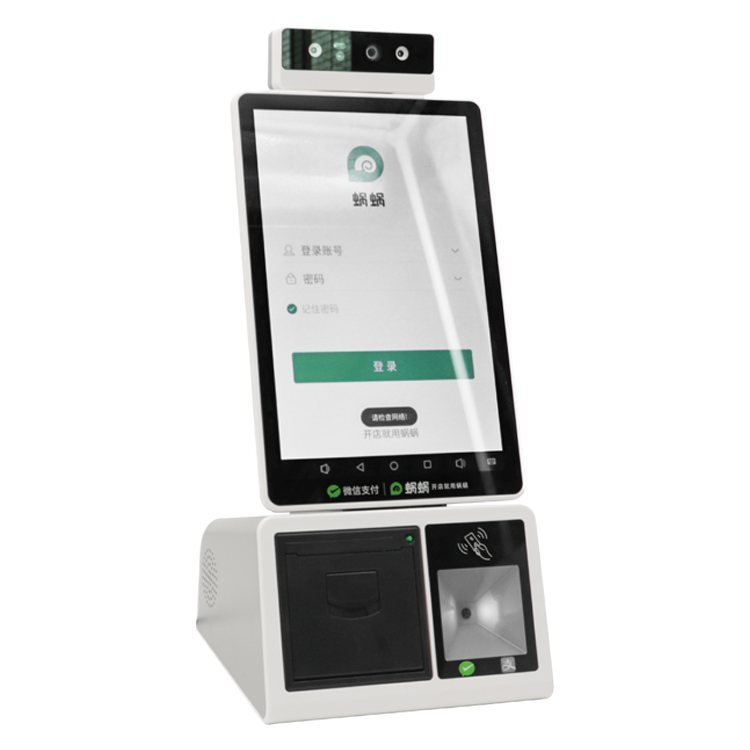
6. Facial-Recognition and QR Payment Terminals
Compact desktop terminals are used for member check-in, canteen payment, access control and unmanned retail. Their workload depends heavily on whether recognition runs locally or in the cloud.
Recommended baseline configuration
- 10.1–15.6-inch capacitive touchscreen
- Android octa-core platform for cloud recognition and QR workflows
- Intel N100/Core i3 with 8–16 GB RAM for local facial-recognition models
- RGB or RGB-IR camera, QR scanner, NFC reader and 58/80 mm printer
- Wi-Fi, Ethernet and optional 4G
- SDK/API confirmation before mechanical design is frozen
Which Markets Buy the Most Self-Checkout and Kiosk Hardware?
Current market research consistently places North America as the largest self-checkout market, supported by widespread deployment in supermarkets, convenience stores and large retail chains. The United States is the priority market, followed by Canada. Europe is the second major demand centre, especially the United Kingdom, Germany, France, the Netherlands and the Nordic countries. Asia-Pacific is the fastest-growing region as organised retail, cashless payment and urban service networks expand in China, Japan, South Korea, Southeast Asia, India and Australia.
For export manufacturers, the practical opportunity is therefore broader than supermarkets. It includes convenience retail, hospitality and quick-service restaurants, transport, healthcare registration, government service, ticketing and unattended micro-markets. North American and European projects usually place greater emphasis on certification, payment security and long-term component availability; many Asia-Pacific and Middle Eastern projects prioritise payment flexibility, custom appearance and rapid deployment.
Industry estimates vary by methodology, so market shares should be treated as directional rather than audited shipment totals. Recent reports nevertheless agree on the regional order: North America first, Europe second and Asia-Pacific growing fastest.
What Styles Are Selling Best on Amazon?
Amazon does not publish complete unit-sales data for every listing. Its Best Sellers Rank, review volume and “bought in the past month” label are useful demand signals, but they are not a complete view of enterprise purchasing. Full-size self-checkout systems are normally sourced through integrators and OEM projects rather than bought as standard consumer products on Amazon.
Using visible marketplace listings and recurring product patterns as proxies, the strongest small-business styles are:
- 15–15.6-inch all-in-one touchscreen POS terminals. These balance counter space, software readability and cost.
- Complete POS bundles. Buyers favour packages that include the touchscreen terminal, 80 mm receipt printer, barcode scanner and cash drawer because compatibility risk is lower.
- Dual-screen systems. A main operator screen plus a smaller customer display supports order confirmation, advertising and tipping.
- Compact Android smart terminals. Integrated printer, camera, QR scanning, Wi-Fi and optional 4G suit cafés, food delivery and mobile retail.
- Portrait self-service terminals. A 15.6–21.5-inch portrait screen with scanner, printer and payment area is increasingly common for unattended service.
The key purchasing lesson is not a single “best-selling model.” It is the popularity of integrated, compact and easy-to-deploy systems. For chain-store projects, maintainability, certification and peripheral compatibility matter more than an Amazon ranking.
How to Communicate Requirements to a Manufacturer
A useful request for quotation should describe the application before listing a processor. Send the manufacturer the following information:
Application and Software
- Staff-operated POS, self-checkout, ordering, ticketing, payment or another workflow
- Operating system and exact software name/version
- Whether AI recognition runs locally or in the cloud
- Required boot time, daily operating hours and expected service life
Display and Touch
- Screen size, orientation and resolution
- Required brightness and viewing distance
- Capacitive or resistive touch
- Use with gloves, water droplets or cleaning chemicals
- Cover-glass thickness, logo printing and anti-glare treatment
Peripheral List
- Barcode/QR scanner model
- Printer width and communication interface
- Cash drawer, bill acceptor, coin module or cash recycler
- NFC, EMV/PIN pad, RFID, camera, microphone and speakers
- Customer-facing display and any accessibility hardware
Interfaces and Network
- Quantity of USB, COM/RS-232, LAN and GPIO ports
- Wi-Fi, Bluetooth and cellular requirements
- Exact connector position and cable-exit direction
- Payment device SDK/API and driver requirements
Mechanical and Environmental Conditions
- Countertop, embedded, wall-mounted or floor-standing installation
- Enclosure drawing, cut-out dimensions and VESA pattern
- Operating temperature, humidity, dust, vibration and liquid exposure
- Indoor/outdoor use and required IP rating
- Colour, material, lock, service door and packaging requirements
Compliance and Project Details
- Destination country and required certification
- Forecast quantity, first order quantity and annual demand
- Prototype, pilot and mass-production timetable
- Branding, serial-number and traceability requirements
- Acceptance test, warranty and spare-parts plan
A Practical Starting Specification
For a typical 15.6-inch countertop POS or compact self-checkout terminal, a balanced starting point is an Intel N100 platform, 8 GB RAM, 256 GB SSD, Full HD capacitive touchscreen, Windows 11 IoT/Pro, Gigabit LAN, dual-band Wi-Fi, Bluetooth, at least four USB ports and two COM ports. Add an 80 mm printer, 2D scanner, NFC/payment module and customer display according to the workflow.
For floor-standing kiosks with cash handling, multiple cameras or local AI, move to a Core i3/i5 platform with 16 GB RAM, 512 GB SSD, additional isolated serial ports and a clearly defined service and thermal design.
OEM Manufacturing and Order Quantity
ZhengFeng can supply the touchscreen panel PC as a component or develop a complete POS/self-service terminal around the customer’s application. Complete-machine projects may include enclosure manufacturing, display and touch integration, internal wiring, peripheral installation, operating-system imaging, branding and functional testing.
Because complete terminals require mechanical work, supply-chain coordination and integration testing, our normal MOQ for complete POS, self-checkout and self-service kiosk projects is 100 units. Smaller orders may be considered for special circumstances, paid engineering prototypes or a clearly defined pilot that leads to mass production. This MOQ applies to complete custom terminals; standard industrial panel PC orders are evaluated separately.
Conclusion
The best POS or self-service terminal is not defined by the fastest processor. It is the system whose touchscreen, software, peripherals, enclosure and service design work together reliably. Start by defining the transaction flow and external devices, then select the computing platform and mechanical structure around those requirements.
If you are developing a cash register, self-checkout machine or self-service kiosk, send us your software environment, peripheral list, installation drawing, destination market and forecast quantity. We can help convert that information into a practical hardware configuration and OEM production plan.