 Zheng
Zheng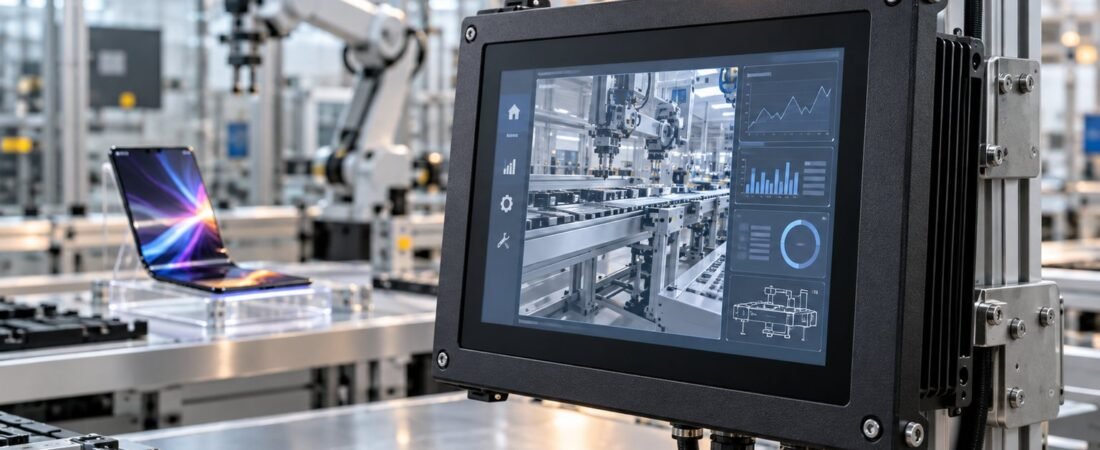
Consumer displays evolve quickly, but factory equipment has a different priority: dependable operation, repeatable installation and long-term integration. This guide explains what industrial buyers should compare beyond screen size and resolution.
Designed for different jobs
A consumer display is normally used in a controlled home or office. An industrial touchscreen may be installed in a cabinet, production line, kiosk or machine where it operates for long shifts and must remain serviceable for years. The right choice starts with the environment and operator workflow—not with appearance alone.
Mechanical construction and mounting
Industrial systems provide mounting structures suited to equipment integration. An embedded panel PC fits into a panel cutout; an external-mount model attaches from the front; a wall-mounted model can use a VESA arm or stand. Buyers should confirm the cutout, installation depth, bezel, cable direction and access for future maintenance.
Consumer monitors usually depend on a desktop stand and can be difficult to integrate cleanly into machinery. Even when the panel specification looks similar, the enclosure and mounting design can make the difference between a simple installation and a costly redesign.
Touch input must match the operator
Projected capacitive touch supports smooth multi-touch interaction, while resistive touch can suit workflows that require a stylus or certain gloves. The correct choice depends on gloves, contamination, gesture requirements and the software interface. A ten-point touch specification is not automatically better for every machine.
Brightness, viewing angle and surface treatment
Screen visibility depends on ambient light, reflections, viewing distance and operator position. Compare brightness, contrast, viewing angle, resolution and surface treatment together. Outdoor or strongly illuminated installations may require a high-brightness solution, while indoor equipment may benefit more from anti-glare treatment and controlled interface colors.
Lifecycle and configuration consistency
Industrial projects often need the same mechanical dimensions, operating system and interfaces across repeat orders. Consumer models can change rapidly. Ask about expected availability, replacement planning and whether the selected CPU, memory, storage and ports can be kept consistent for the project.
Industrial display or panel PC?
An industrial display receives video and touch signals from a separate computer. A panel PC integrates the computer, storage and operating system behind the screen. A display is useful when computing hardware is already available elsewhere; a panel PC simplifies an all-in-one installation. Explore our industrial displays and industrial panel PC categories.
Planning an industrial touch project?
Tell us the mounting method, screen size, software, interfaces, operating environment, quantity and destination. Our team will recommend a suitable configuration.
Request a QuoteBrowse Products